

Picture this: You're at your desk, coffee in hand, and your latest help article is complete. It’s well-written, structured, and includes helpful screenshots. But then comes the thought: “Now I have to translate this into French, Spanish, and German… When am I going to find the time?”
That’s precisely where the new translation feature in HelpSpace Docs comes in—your personal translation assistant.
The Day-to-Day of International Support Teams
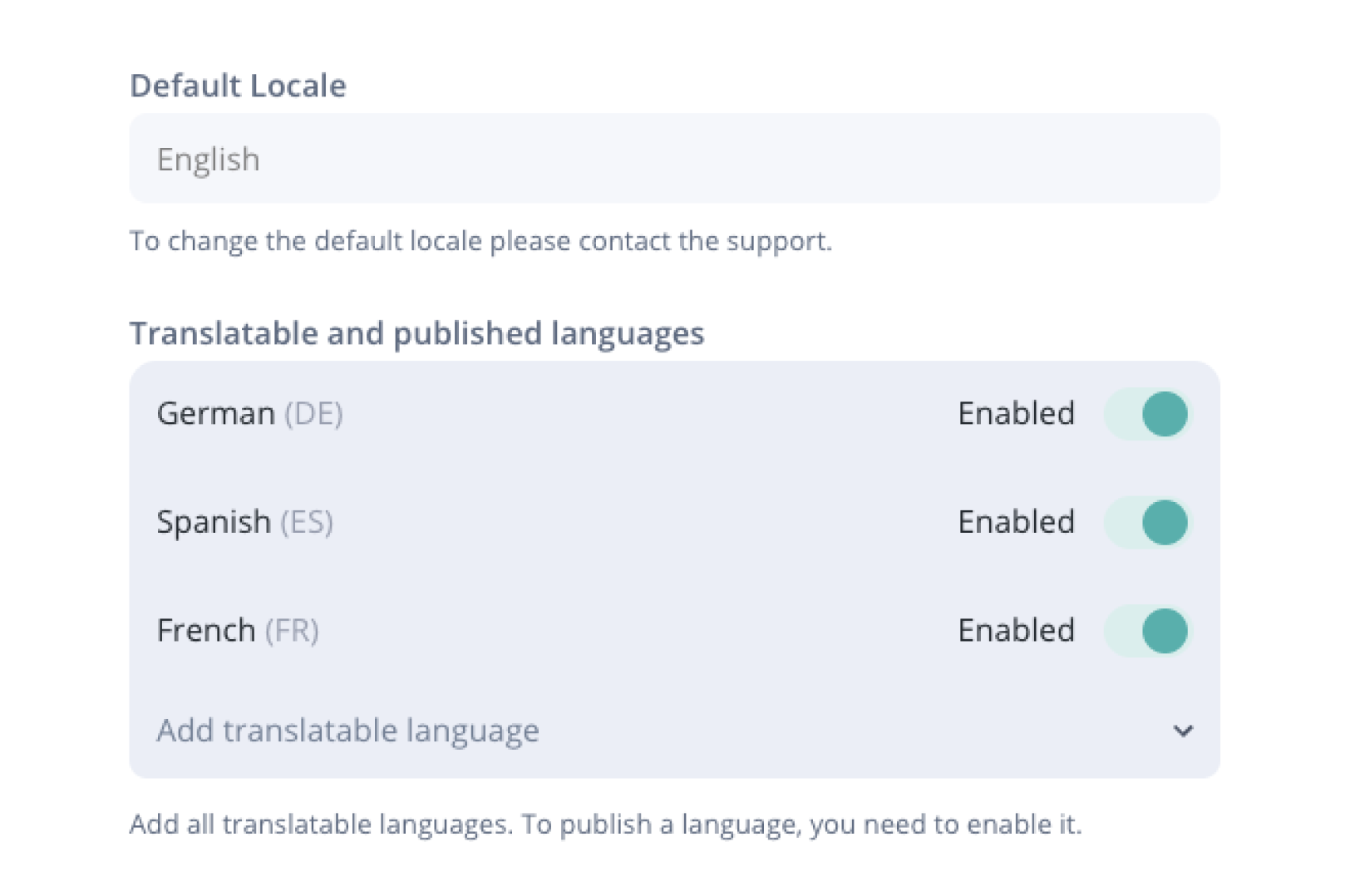
Maybe you support customers in the UK, Spain, and Germany. Or perhaps your product just gained traction in France, and now you need your documentation in French, too.
One thing’s clear: great help content in the right language saves support tickets—and saves your customers time and frustration.
But who has the time to manually translate every article—and keep them all up to date after every change?
Translate Directly in the Editor
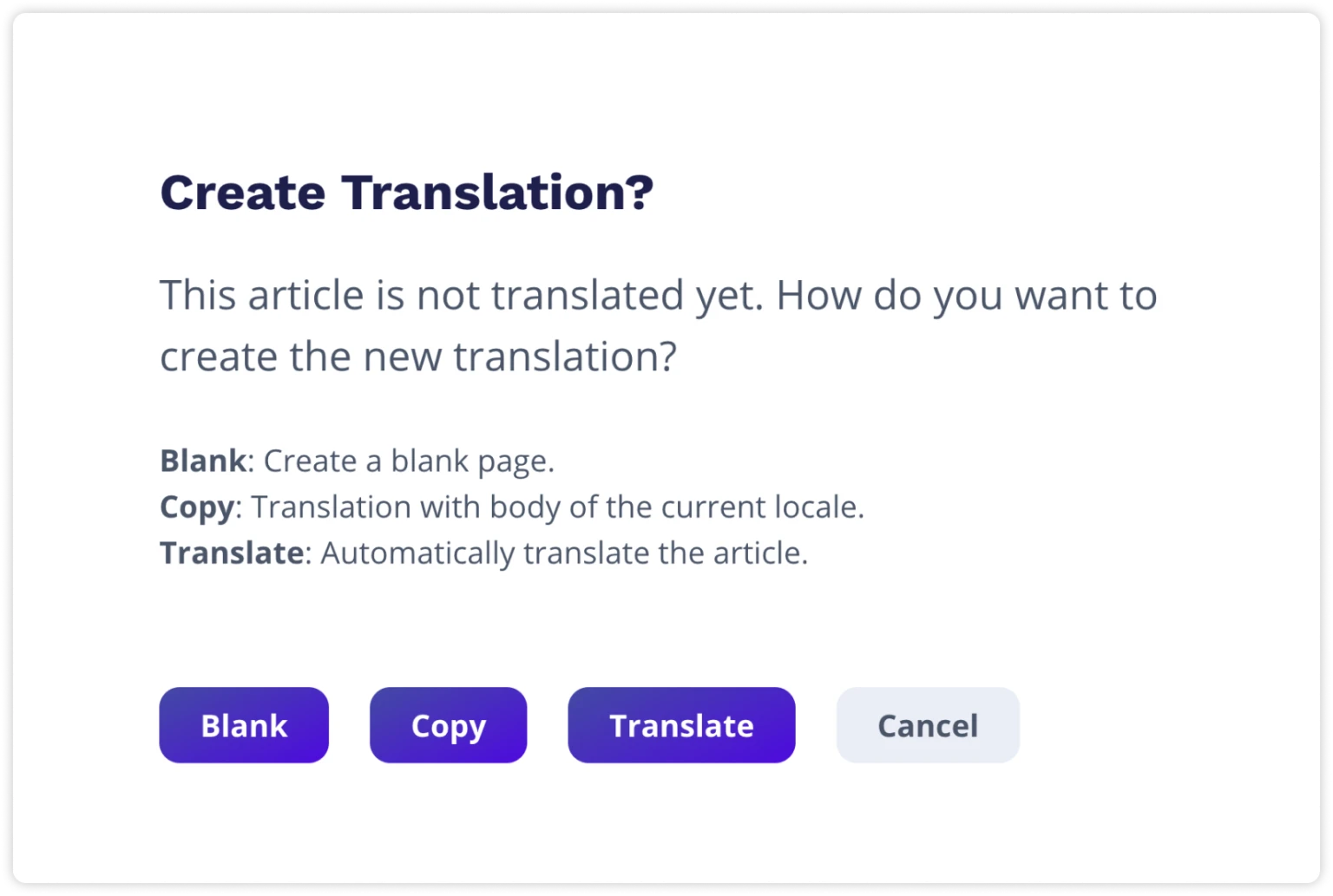
HelpSpace Docs now lets you translate multilingual articles with just two clicks. Write your article as usual—let's say in English. Then click “Translate,” choose your target language, and voilà: your text, tables, and images (excluding embedded text) are copied into a fully formatted new draft.
Translated. Structured. Ready to review.
No more copy-pasting. No more switching between tools. No versioning mess.
Best of all, you can continue editing the translated article just like any other. Add a note, update a screenshot—it's all possible.
Real-World Example: Sophie from the Support Team
Sophie works at a SaaS company with customers around the globe. Their Help Center is in English—but more and more users are asking for documentation in German and Spanish. In the past, this meant exporting content, running it through a translation or AI tool, copying it back in, re-uploading images, and rebuilding tables.
Now? One click on “Translate”. Seconds later, the article is ready—complete with structure and tables. Only screenshots with embedded text require manual updates.
Time saved? Hours every week.
Customer feedback? “Finally, I can read the article in Spanish — amazing!”
Requirements
To use the automatic translation feature in HelpSpace Docs, simply add your DeepL API key in your HelpSpace settings. DeepL offers a free API plan that's perfect for smaller translation volumes. It's a great way to try out the feature without any additional costs.
Once your API key is connected, all translations run securely through your DeepL account—giving you full flexibility and control without relying on HelpSpace translation credits.
Note: This feature is available for all HelpSpace Team and Business plan users.
Built-In Versioning for Peace of Mind
One more bonus: HelpSpace Docs automatically saves a new version of your article every time you make a change. That means you can track exactly what changed—and easily revert to a previous version if something goes wrong. Especially when working across multiple languages, versioning gives you full control and security in your documentation process.
Conclusion: Professional Translations, Without the Hassle
If your team works internationally or you regularly manage multilingual content, HelpSpace’s new translation feature is a serious upgrade for your workflow.
Translate with just two clicks
Keep tables and formatting intact
Built-in version history
No more copy-paste chaos
Save hours every week
Try the translation feature directly in HelpSpace—or reach out if you'd like help getting started.
